Instructional Technology
Board Ready: Interactive Display Training Hub
A practical, self-paced training hub that helps Pre-K–5 teachers move from learning the Newline Q Pro board to using it for inclusive, participatory instruction.
Open the full interactive projectA route from setup to meaningful use
One board. More ways to learn.
Short guides and inclusive classroom routines help teachers turn an interactive display into a shared thinking space.
Board Ready is a self-paced professional learning hub for Pre-K–5 educators using Newline Q Pro interactive displays. It turns a large collection of device features, tutorials, and classroom ideas into a clear path teachers can use before, during, and after instruction.
The challenge
A new classroom board can feel like one more system to master. Teachers need quick answers to basic setup questions, but they also need examples that connect the technology to purposeful student participation. The hub addresses both needs in one place.
A five-stage learning journey
- Start — build confidence through three small first wins.
- Learn — identify controls, connections, annotation tools, and core workflows.
- Teach — choose a classroom routine for Pre-K–K, grades 1–2, or grades 3–5.
- Include — plan access for multilingual learners and students in Alternative Life Skills.
- Help — solve common classroom board problems without losing lesson time.
Designed for real teaching
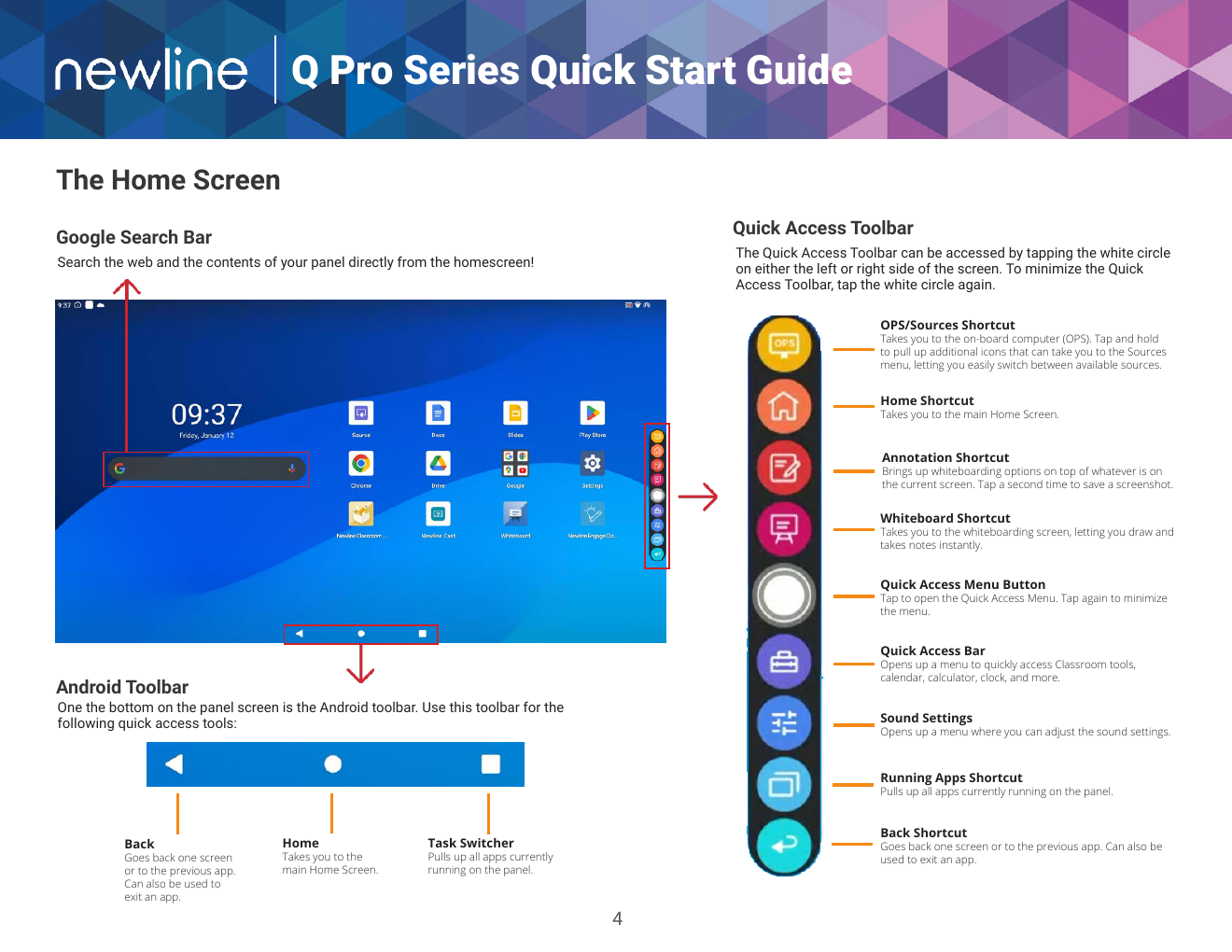
The resource library combines searchable, short guides with annotated Q Pro visual references and embedded training videos. Grade-band playbooks translate board tools into routines for literacy, math, science, discussion, and student-created explanations. Each routine includes setup, teaching moves, and access considerations.
Inclusion from the start
Dedicated playbooks support English language learners and students in Alternative Life Skills. They pair grade-level thinking with visual cues, home-language connections, AAC-compatible response options, predictable choices, and opportunities to build independence.
My approach
I organized the experience around the tasks teachers actually face: get connected, learn a move, try it with students, plan for access, and recover when something goes wrong. The responsive interface uses full-card interactions, keyboard-accessible guide dialogs, filters, tabs, and accordions so resources remain easy to find at the point of need.
Open the full interactive Board Ready hub from the link above to explore its guides, stage navigation, inclusion playbooks, and troubleshooting tools.